Face Swap @ Magic Hour
Product Designer
|
March - April 2025
|
Figma
INTRODUCTION & CONTEXT
Magic Hour is an AI video and image platform
Magic Hour is an AI-powered video creation platform designed to simplify and accelerate the video creation process. They have several features including:
Text-to-Video: Generate videos from text prompts.
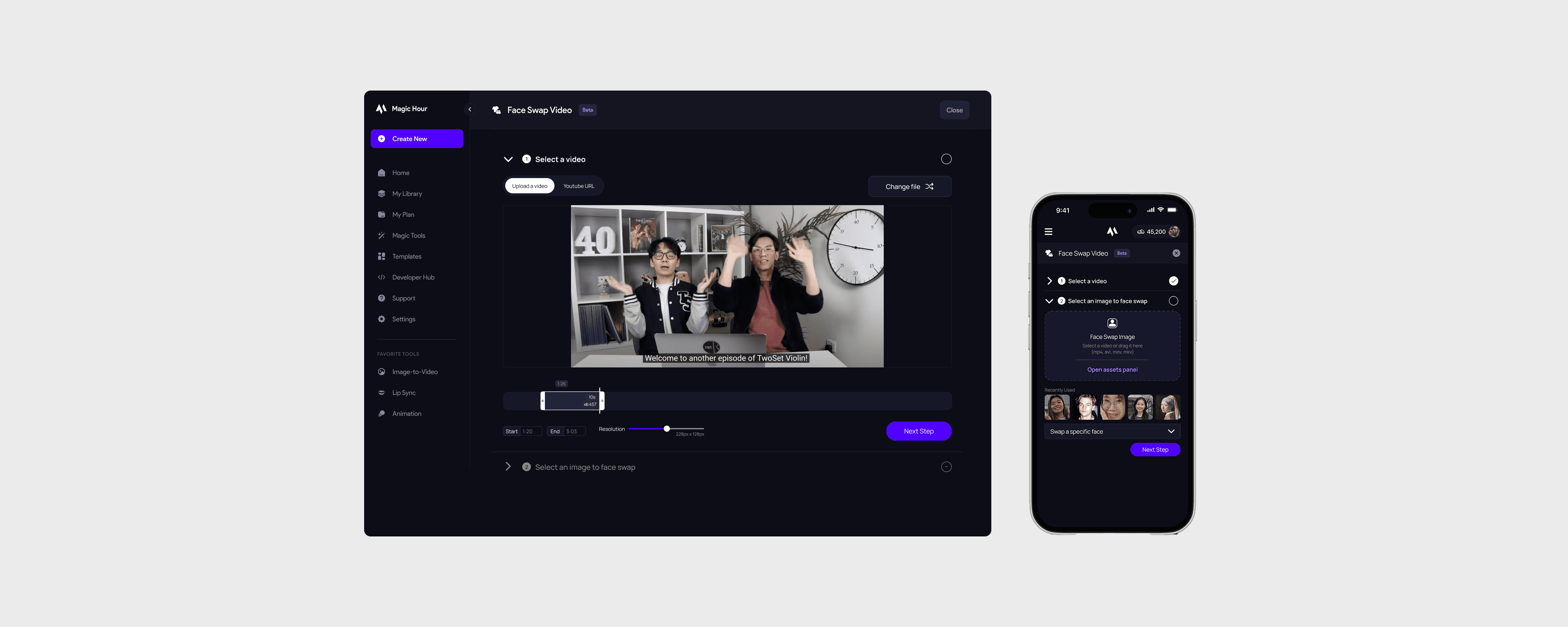
Face Swap: Seamlessly replace faces in photos or videos.
Lip Sync: Make characters speak any audio.
Try it out!
Swap your face with Magic Hour's Face Swap Feature!
Note that this is the landing page version of the feature. This case study features the product flow of users who already have an account.

PROBLEM
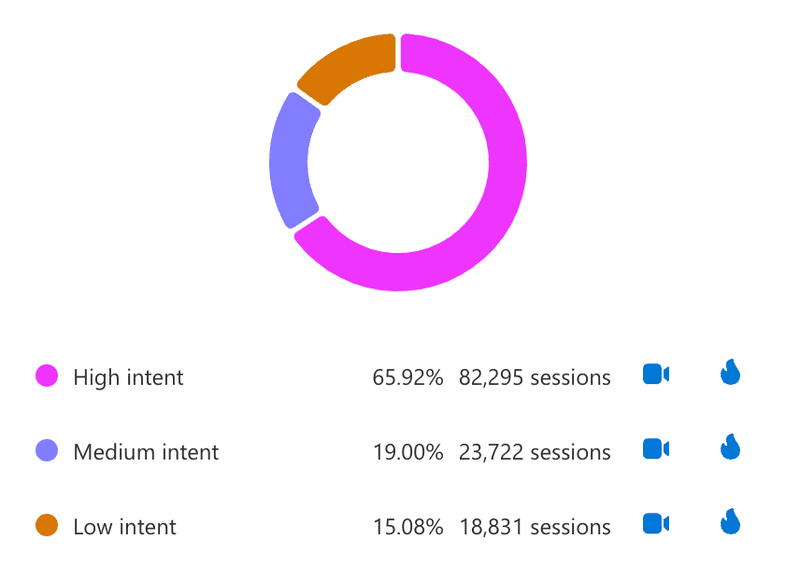
35% of users fail to fully render a face swap video, and 15% experience dead clicks
The face swap tool uses advanced AI to identify and replace faces in photos or videos, works fully online with no downloads, and supports both personal uploads and YouTube links.
Magic Hour’s Face Swap Product Flow is its most popular feature and drives 25% of all conversions from a free to paid plan.

RESEARCH & PLANNING
Synthesizing preliminary user tests
I first conducted a cognitive walkthrough of the initial product flow. My unfamiliarity with Magic Hour's platform as a new user helped me identify potential issues that led to early drop-offs, and UX confusions.
Magic Hour already had a summary of previous usability tests including 12 screen-recorded users using the "think aloud method and their transcripts. I noticed that the majority of user dissatisfaction came from one of the following pain points:
12 user tests
Pre-recorded through usertesting.com
4/12
did not succed in creating a face swap video
Confusing UX
Features such as "multi-face swap" and uploading a Youtube video are not immediately obvious to the user.
Lack of Cost Transparency
Users are only told about potential price warnings after they have completed the entire flow.
Lack of readily available assets
Many users did not have a clear headshot on their device that could be used to swap faces.
“Am I missing something about how much [frames] you’re supposed to get?” - Magic Hour user
Creating a gameplan
This was my first project as a remote designer. I was concerned with a/b testing and the amount of additional work it would take for Runbo and David to implement. Although Runbo said a/b testing wasn't as strenous and I thought, we decided to go with creating Figma prototypes and conducting user tests using my prototypes.
Early stage design constraints
GPU Limitations
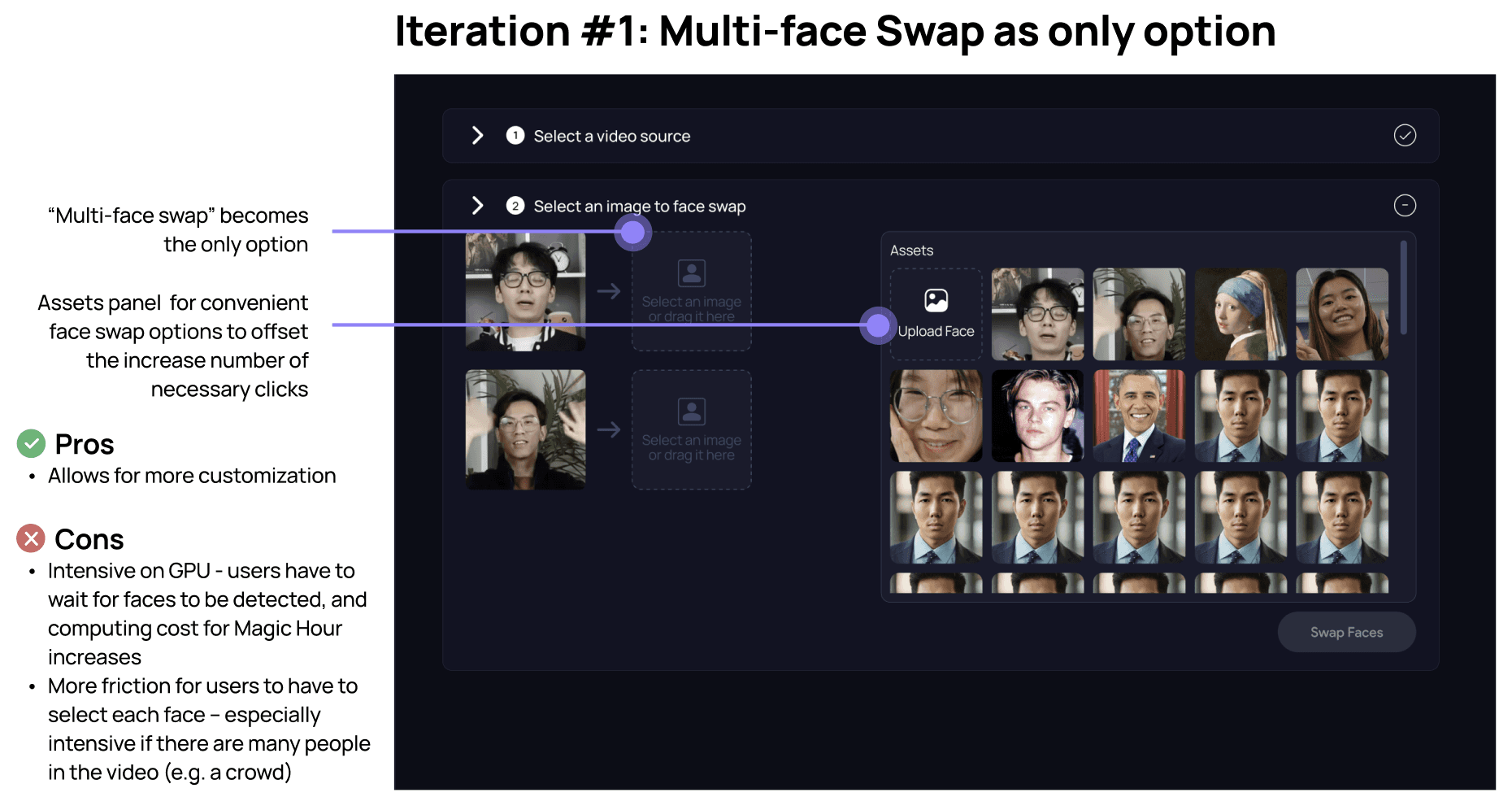
Swapping multiple faces in a video is useful, but very GPU intensive. HMW design a flow that only allows high intent users to swap multiple faces?
Catering to professionals and casual users
Magic Hour is used by beginners and professionals. What is the minimum we can show the user to ensure they get what they’re looking for, while still preserving advanced features but only showing them for the users who want it?
PROTOTYPE, TEST, EVALUATE, REPEAT
Reducing it all to one page
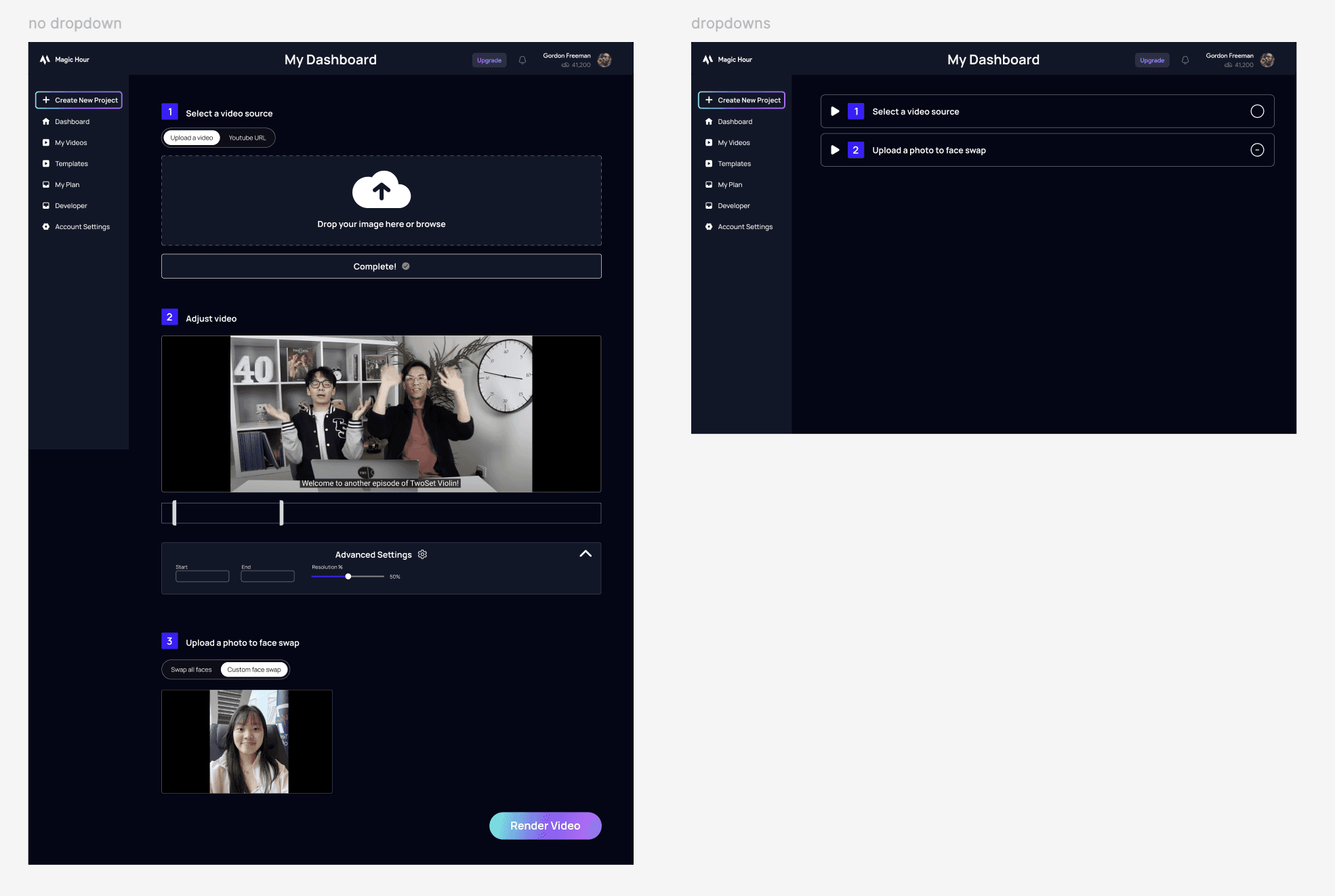
My first intuition was to reduce the product flow to a single page. Having all the information clearly laid out gives a good idea of how many steps are next, and reduces unnecessary clicking. I made two low fidelity prototypes, one with each step as a toggle and the other without.
A potential concern with the collapsed dropdowns is that it could lead to slightly higher drop-off, as the user has to click a tab before they proceed, as opposed to the initial design where they would see the upload box immediately.
Most users struggle to find available portrait photos
I created an assets panel with curated face portraits and recently uploaded photos to reduce friction in the face swap flow. A/B testing showed an 80% reduction in user drop-off, and the assets doubled as examples that helped users understand which photos work best.
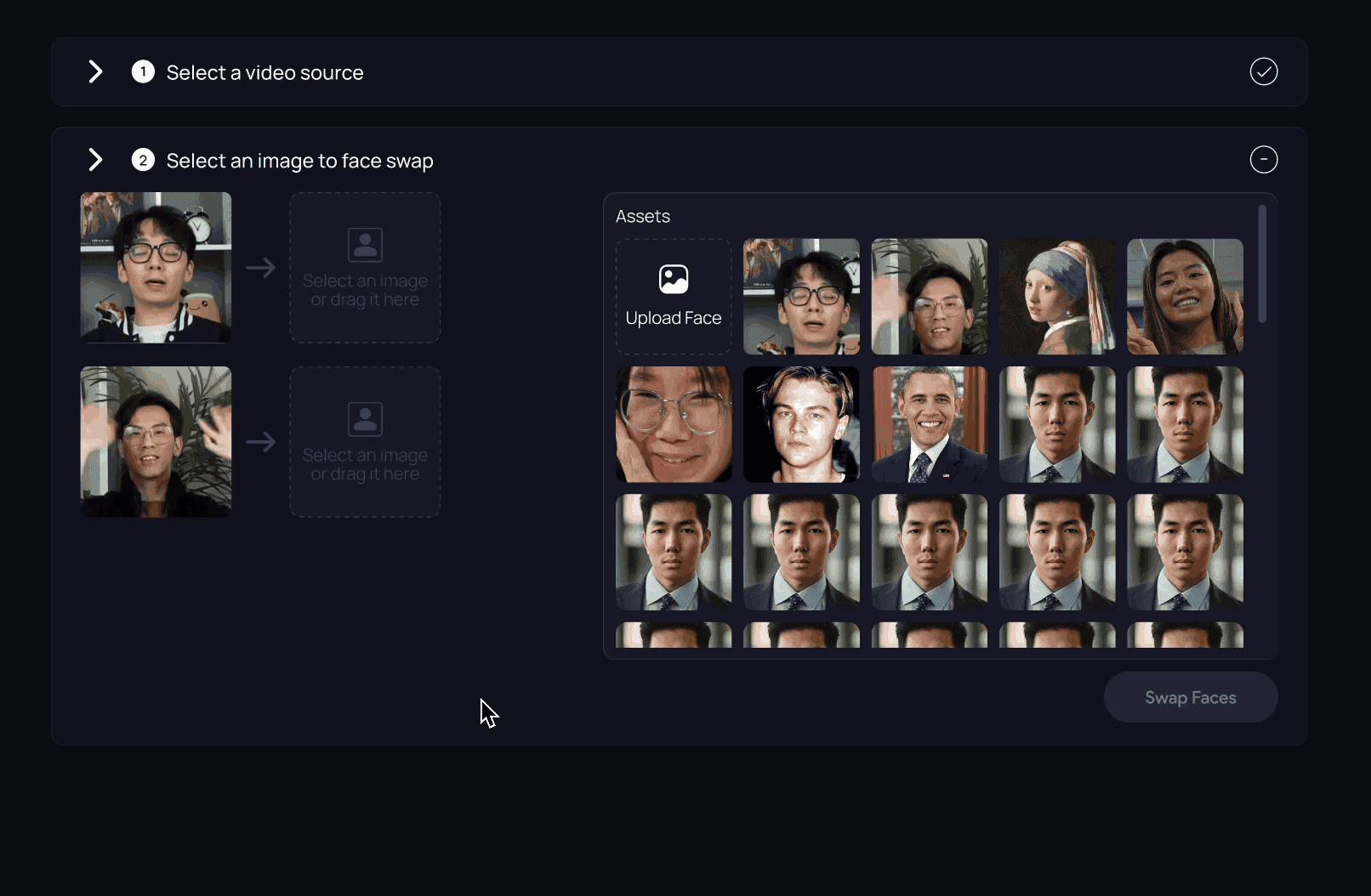
What's a "multi-face swap"?
How might we increase the number of people using the "Multi-face Swap" option while being efficient with GPU usage?
When face swaping, users have two options:
Swap all faces: Upload one photo and replace all faces in the video with that once photo
Multi face swap: Select specific faces to swap with other faces
Only 2% of users who created a video used the "Multi-face Swap" function. We felt this percentage was disproportionately low. I suspected it was because the term "Multi-face Swap" doesn't make its own function apparently clear.
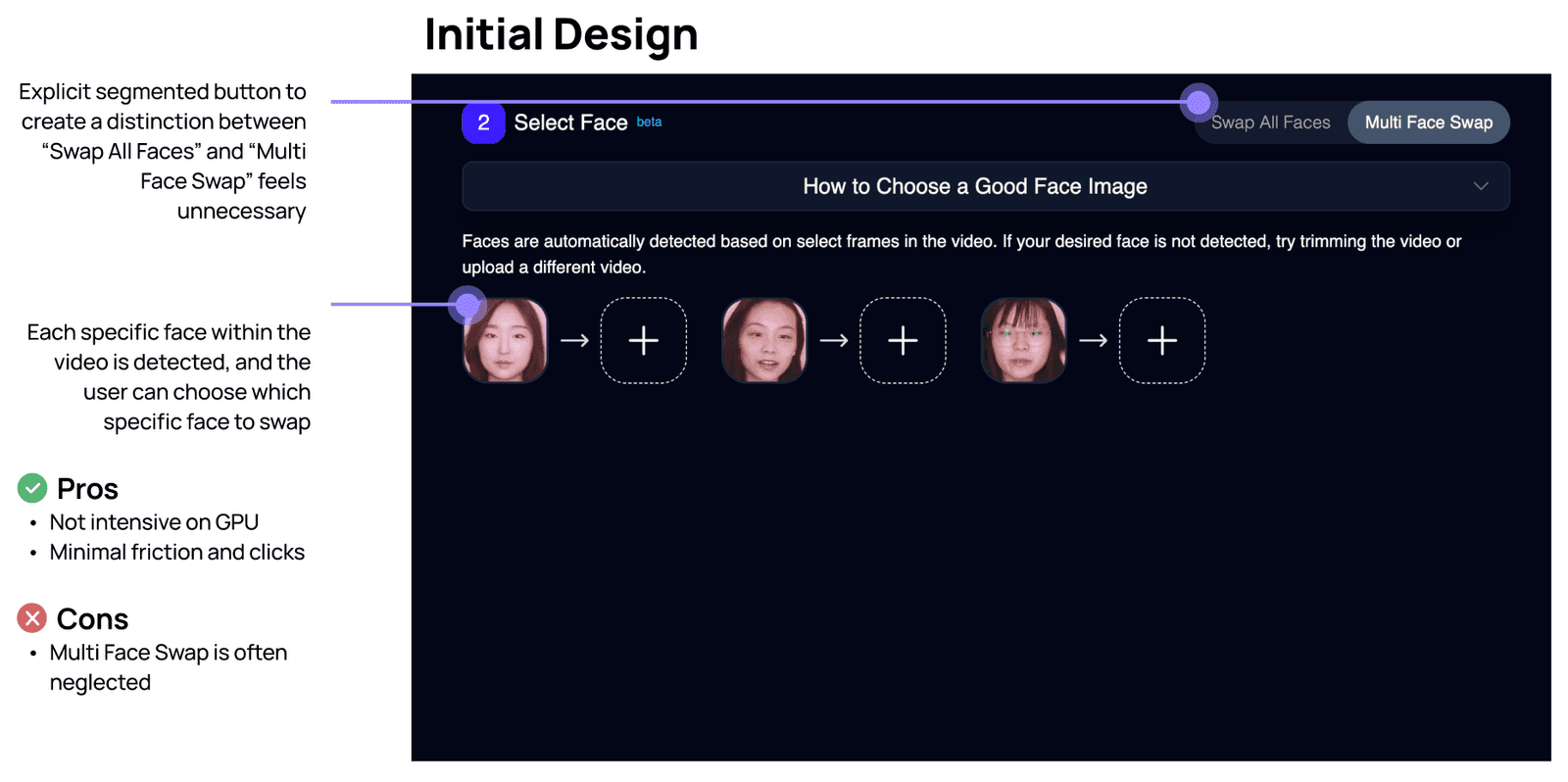
I initially removed “Swap All Faces” in favor of a single “Multi-face Swap” option to give users more control. However, after discussing this with Runbo, I learned that this approach is significantly more GPU-intensive, since the system has to detect and process each face individually, increasing wait times. In reality, most users were already satisfied with the automatic results from “Swap All Faces,” so requiring them to customize each face introduced unnecessary friction and added complexity without delivering meaningful value.
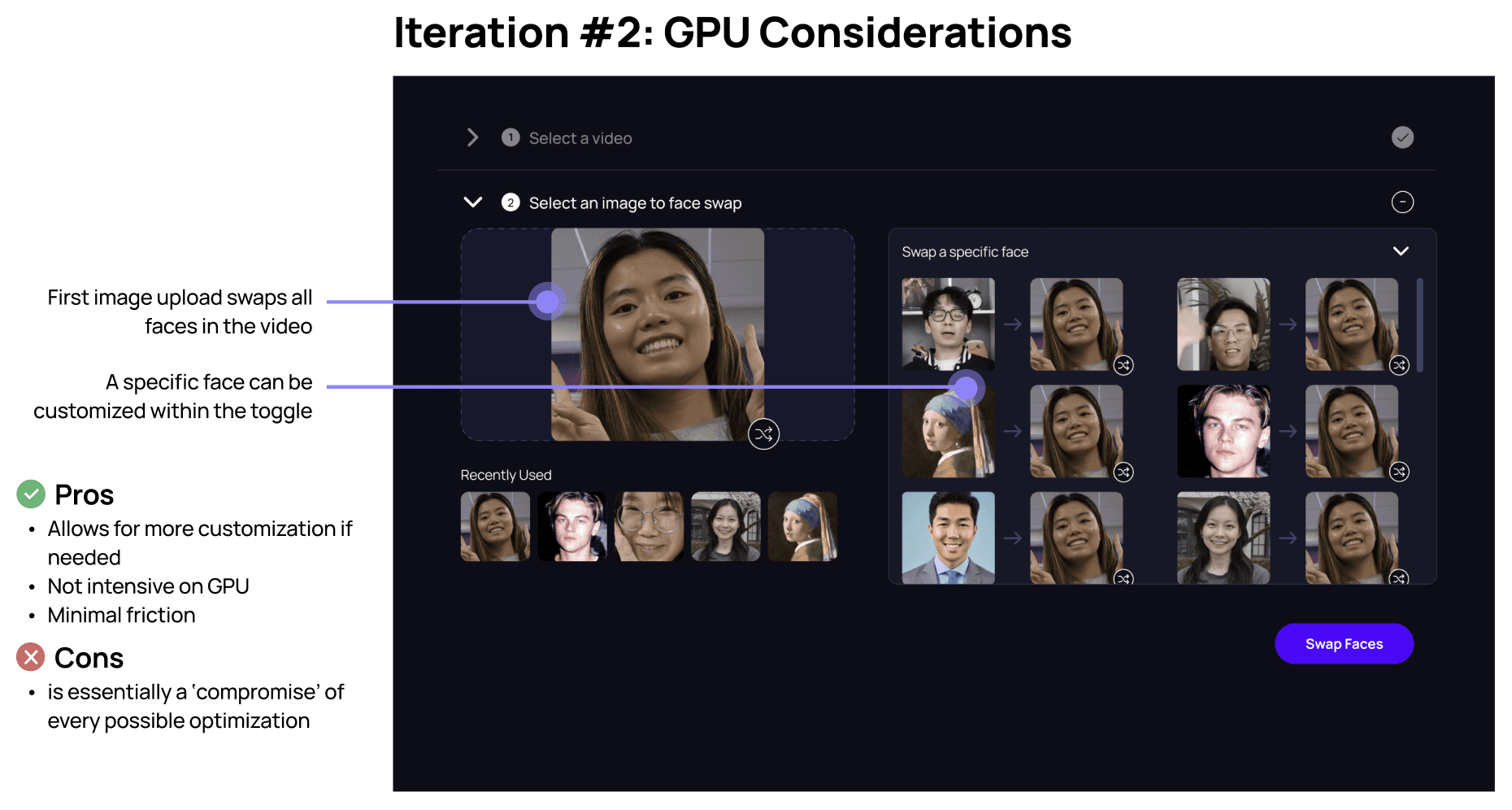
Since it was still important to distinguish between “Swap All Faces” and “Multi-face Swap,” I started exploring better ways to communicate what the “Multi-face Swap” feature actually does. Many platforms with similar tools use the term “Multi-face Swap,” and while Nielsen’s fourth heuristic encourages following established conventions, that label isn’t widely adopted yet. Most of our users are novice video editors, and the phrase itself isn’t immediately clear to them.
I brainstormed several alternatives, including “Custom Face Swap” and “Advanced Face Swap,” but eventually chose a more straightforward, instructional label: “Swap a specific face.” Even though there still isn’t a standardized term for this function, this instructional phrasing does a better job of guiding users through the intended workflow.
SOLUTION
The final prototype
REFLECTION
Conduct user testing to identify the problem, or find specific information
Finding a balance between making changes and conducting user tests was very important. It was easy to want to validate every small design decision I made, but conducting user tests takes a lot of time and resources ultimately slowing down the entire design process. At a startup like Magic Hour, designs must be executed quickly so I found myself making a mental note of when I should best conduct user tests, and make small tweaks between each tester.
Copy has massive impact on success rates and retention
The confusion caused by the term "multi-face swap" was a challenging problem to handle. It was the first time I concretely and immediately felt the impacts of sub-optimized terminology and content design. I had a lot of fun diving into content design principles, and referred to Andy Welfle and Michael J. Metts' book "Writing is Designing" as a frame of reference.